DWM Control
About
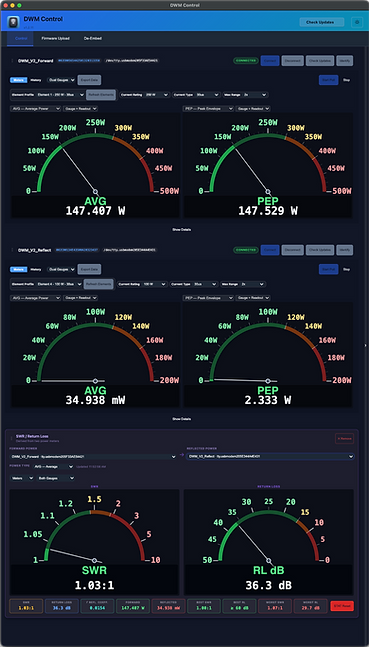
L'application de bureau DWM-Control est compatible avec Windows et Mac. Elle permet de contrôler et de mettre à jour vos vumètres DWM V2 directement depuis votre ordinateur (et constitue une alternative à STM32CubeProgrammer, dont l'utilisation s'est avérée complexe). Actuellement, seules la mise à jour du vumètre et le désencapsulage des éléments sont possibles. Les fonctionnalités de contrôle proprement dites seront disponibles dans une prochaine mise à jour.
Aller à :
Installation du contrôle DWM
1. Une fois l'application DWM-Control téléchargée, selon votre navigateur, elle peut afficher quelque chose comme ceci :

2. Cliquez sur les trois points. Puis sur « Conserver ».

3. Ensuite, ce message peut apparaître. Cliquez sur « Conserver quand même ».

4. Ensuite, ouvrez le programme d'installation à l'endroit où il a été téléchargé et suivez ses étapes pour terminer l'installation !
Installation du contrôle DWM
1. Une fois l'application DWM-Control téléchargée, selon votre navigateur, elle peut afficher quelque chose comme ceci :
1. Une fois l'application DWM-Control téléchargée, selon votre navigateur, elle peut afficher quelque chose comme ceci :

Installation de macOS
Remarque : macOS possède déjà les pilotes nécessaires à la mise à jour du firmware, Zadig n’est donc pas nécessaire ici.
1. Une fois l'application téléchargée, ouvrez le fichier d'installation .dmg.
2. Faites glisser l'application DWM-Control vers le dossier Applications.
3. Accédez au dossier « Applications » et ouvrez l'application DWM-Control.
Lors de la première ouverture de l'application, vous verrez probablement ce message apparaître car je ne suis pas encore un développeur « vérifié » :
6. Terminé !
L'application devrait s'ouvrir et vous pouvez maintenant mettre à jour votre compteur DWM V2 !
N'oubliez pas que sur Mac, aucun pilote n'est nécessaire. Tout devrait fonctionner sans problème !